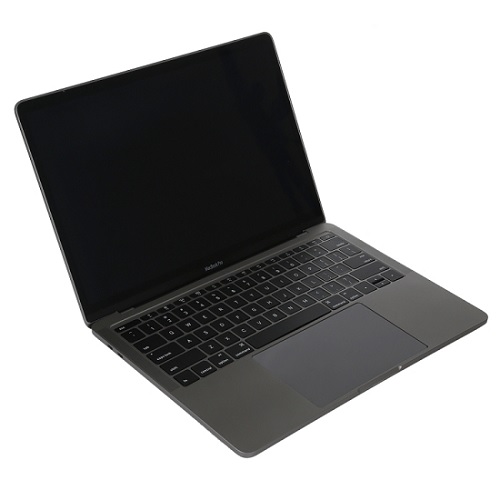
Whether you’re a student, professional or casual user, your MacBook’s charger is essential for keeping your device powered and ready to go. Using the correct AC adapter ensures efficient charging, protects your MacBook’s battery health and prevents potential hardware damage.
This article will help you identify and select the right MacBook charger by explaining the importance of using the correct adapter, comparing different types and offering practical tips for buying a reliable and safe charger. We will also recommend trusted suppliers and provide troubleshooting advice for common charging problems.
Why Using the Correct MacBook AC Adapter Matters
- Battery Health: Incorrect wattage chargers can affect your battery’s lifespan. Too low wattage may cause slow charging or no charging at all, while too high wattage adapters might overheat components.
- Device Safety: Genuine or high-quality compatible chargers ensure stable current delivery, reducing risks of electrical faults, overheating or damage.
- Performance & Speed: The right wattage charger optimizes charging speed and efficiency.
- Warranty & Support: Using unauthorized or incompatible adapters can void your MacBook warranty or AppleCare protections.
Understanding MacBook AC Adapters: Key Differences
1. Wattage (Power Output)
MacBooks require different wattage adapters depending on the model:
| MacBook Model | Recommended Wattage |
|---|---|
| MacBook Neo (2026) | 20W, 35W or 45W |
| MacBook Air (M1, M2, 2018 and later) | 30W, 35W or 45W |
| MacBook Pro 13-inch (M1, M2) | 61W |
| MacBook Pro 14-inch (2021 and later) | 67W or 96W |
| MacBook Pro 15-inch (2012-2019) | 85W |
| MacBook Pro 16-inch (2019 and later) | 96W or 140W |
Note: Using a charger with higher wattage than recommended is generally safe since MacBooks draw only what they need. However, using a lower wattage charger may result in slower charging or no charging during heavy use.
2. Connector Types
- MagSafe 1 (T-shaped or L-shaped): Older MacBooks (2006–2012).
- MagSafe 2: Slimmer connector for MacBook Air (2012–2017) and MacBook Pro Retina (2012–2015).
- USB-C: Modern MacBooks (2016 and later) use USB-C connectors for charging and data transfer.
Make sure the adapter’s connector matches your MacBook’s charging port.
3. Compatibility
- Apple Genuine Chargers: Designed and tested by Apple for perfect compatibility.
- Third-Party Chargers: May vary in quality and compatibility; choose reputable brands to avoid damage.
- Adapter & Cable Sets: Some chargers come with detachable cables; ensure both parts are compatible.
How to Identify Your MacBook Model and Charger Requirements
Step 1: Check Your MacBook Model
- Click the Apple menu () → About This Mac.
- Note the model name and year (e.g., MacBook Pro 13-inch, 2020).
Step 2: Verify the Charger Wattage
- Look at the original charger label for wattage.
- Alternatively, check Apple’s official support site or product manual for your model’s recommended wattage.
Step 3: Identify Connector Type
- Examine your MacBook’s charging port.
- If it’s a small rectangular port with pins, it’s MagSafe 1 or 2.
- If it’s a rounded, symmetrical port, it’s USB-C.
Practical Tips for Purchasing a Reliable and Safe MacBook AC Adapter
- Buy from Authorized or Reputable Suppliers: Avoid unknown sellers or suspiciously cheap chargers.
- Check for Certification: Look for UL, CE, FCC or RoHS certification marks.
- Verify Compatibility: Confirm wattage and connector type match your MacBook.
- Avoid Cheap Knockoffs: Low-quality adapters can overheat, damage hardware or cause electrical hazards.
- Consider Warranty & Return Policy: Trusted suppliers offer warranty and returns if the charger malfunctions.
- Look for Reviews: Check customer feedback on build quality and reliability.
Recommended Supplier: Campad Electronics
For dependable, high-quality MacBook chargers, Campad Electronics is a trusted supplier offering:
- Efficient and high-quality compatible MacBook AC adapters.
- Wide selection covering all MacBook models.
- Competitive pricing with safety certifications.
- Excellent customer service and warranty support.
Visit Campad Electronics to explore their range and ensure your MacBook stays powered safely.
Troubleshooting Common MacBook Charging Issues
| Problem | Possible Cause | Solution |
|---|---|---|
| MacBook not charging | Faulty charger, damaged cable or dirty port | Inspect and clean port; try different charger |
| Slow charging | Using lower wattage charger than recommended | Use correct wattage charger |
| Charger overheating | Poor-quality charger or blocked ventilation | Use genuine or certified adapter; avoid covering charger |
| Battery not recognized | Software glitch or battery issue | Restart MacBook; reset SMC (System Management Controller) |
| Charger connected but no power | Faulty power outlet or charger | Test outlet; try different charger |
Authentic vs. Third-Party Chargers: What You Need to Know
Authentic Apple Chargers
- Highest compatibility and safety.
- More expensive but backed by Apple warranty.
- Ideal for users prioritizing reliability.
Third-Party Chargers
- Can be more affordable.
- Quality varies widely; choose reputable brands like Campad Electronics.
- Look for certifications and positive reviews.
- May offer additional features like longer cables or compact designs.
Summary
Choosing the right MacBook AC adapter is crucial for your device’s performance and safety. Always check your MacBook model and recommended wattage, confirm connector type and purchase from trusted suppliers. Avoid cheap, uncertified chargers to protect your investment.
For quality and peace of mind, consider Campad Electronics, a reliable source for authentic and compatible MacBook chargers.
If you have any questions or need assistance finding the right charger for your MacBook, feel free to reach out to Campad Electronics support or consult Apple’s official resources. Keep your MacBook charged safely and efficiently with the right adapter!